
Write in Notion, publish to your GitHub blog in one click
Notion Flow is a non-intrusive, pure-frontend browser extension. Sync the article you wrote in Notion to your GitHub repo as Markdown; images are auto-hosted on OSS, and Front Matter, image links and Markdown formatting are handled for you in the background.

Core features
From in-page navigation to one-click publishing — built for GitHub-based blog workflows.
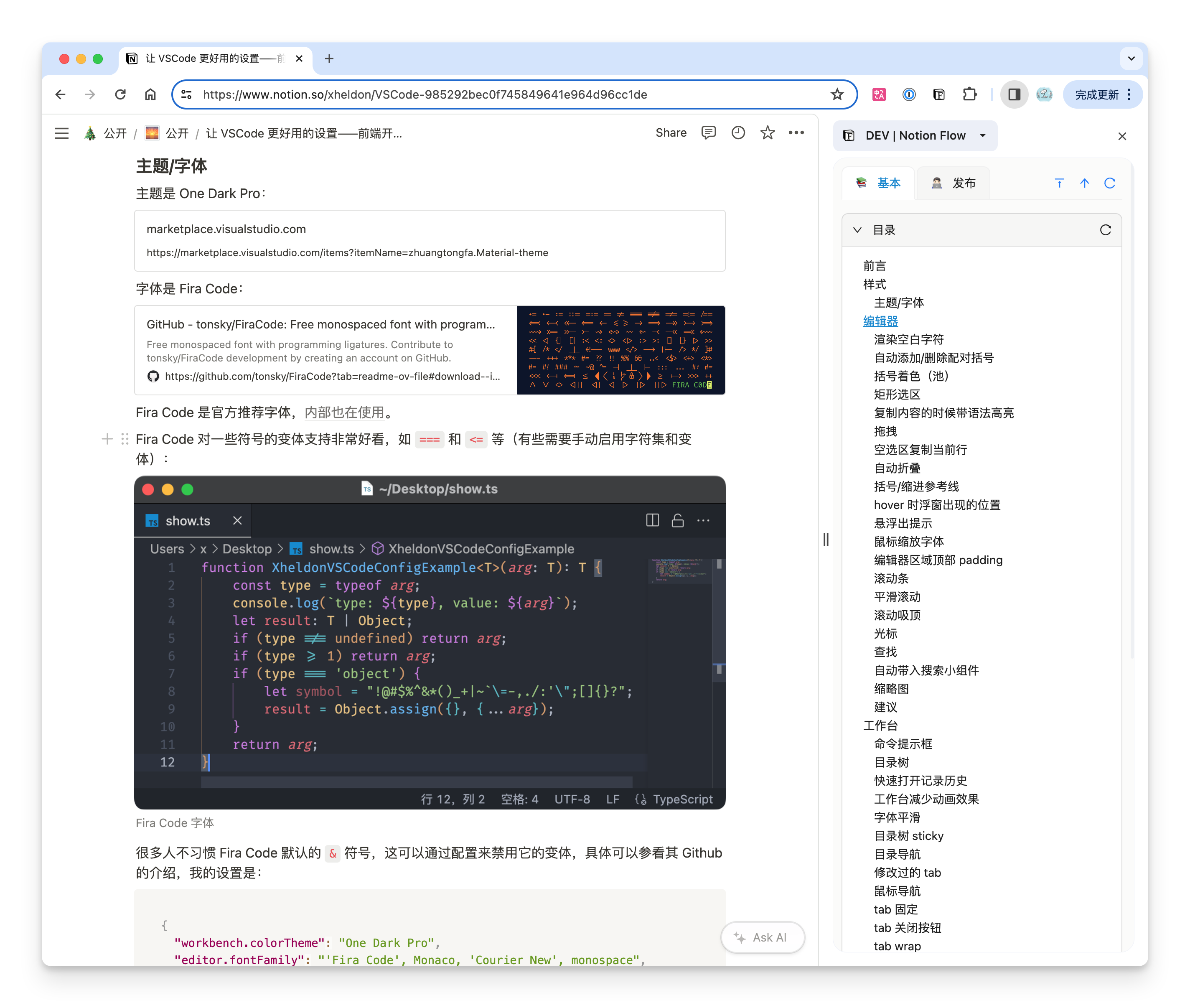
Display Notion headings
Show the table of contents of the current Notion page in the browser side panel in real time. Click to jump — long-form writing navigation made easy.
Publish to GitHub
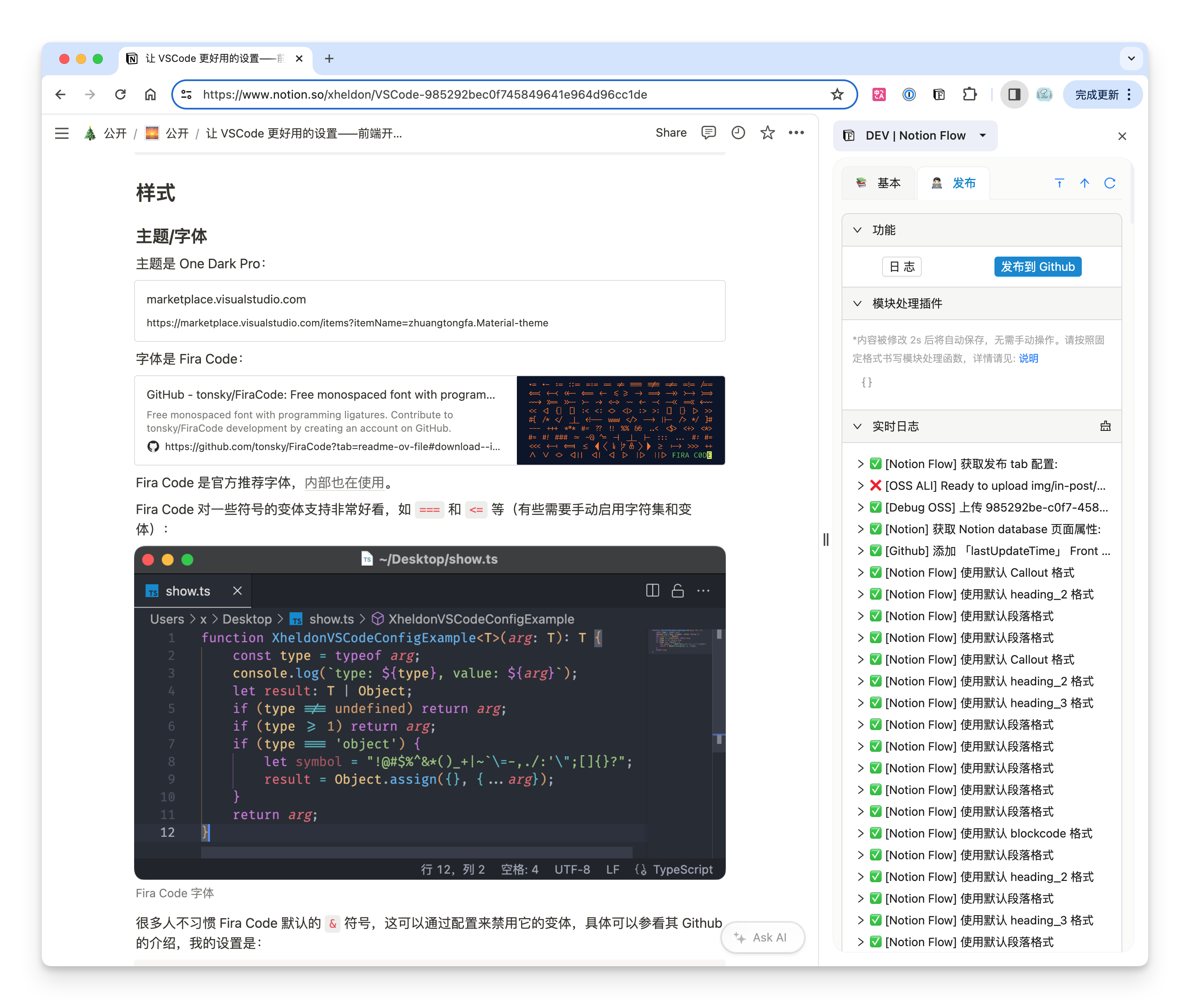
Sync a Notion page to a target directory in your GitHub repo as Markdown. Image links, Front Matter and Markdown formatting are handled automatically — works with Jekyll, VitePress, Hexo and other GitHub-based blogs.
Custom module conversion
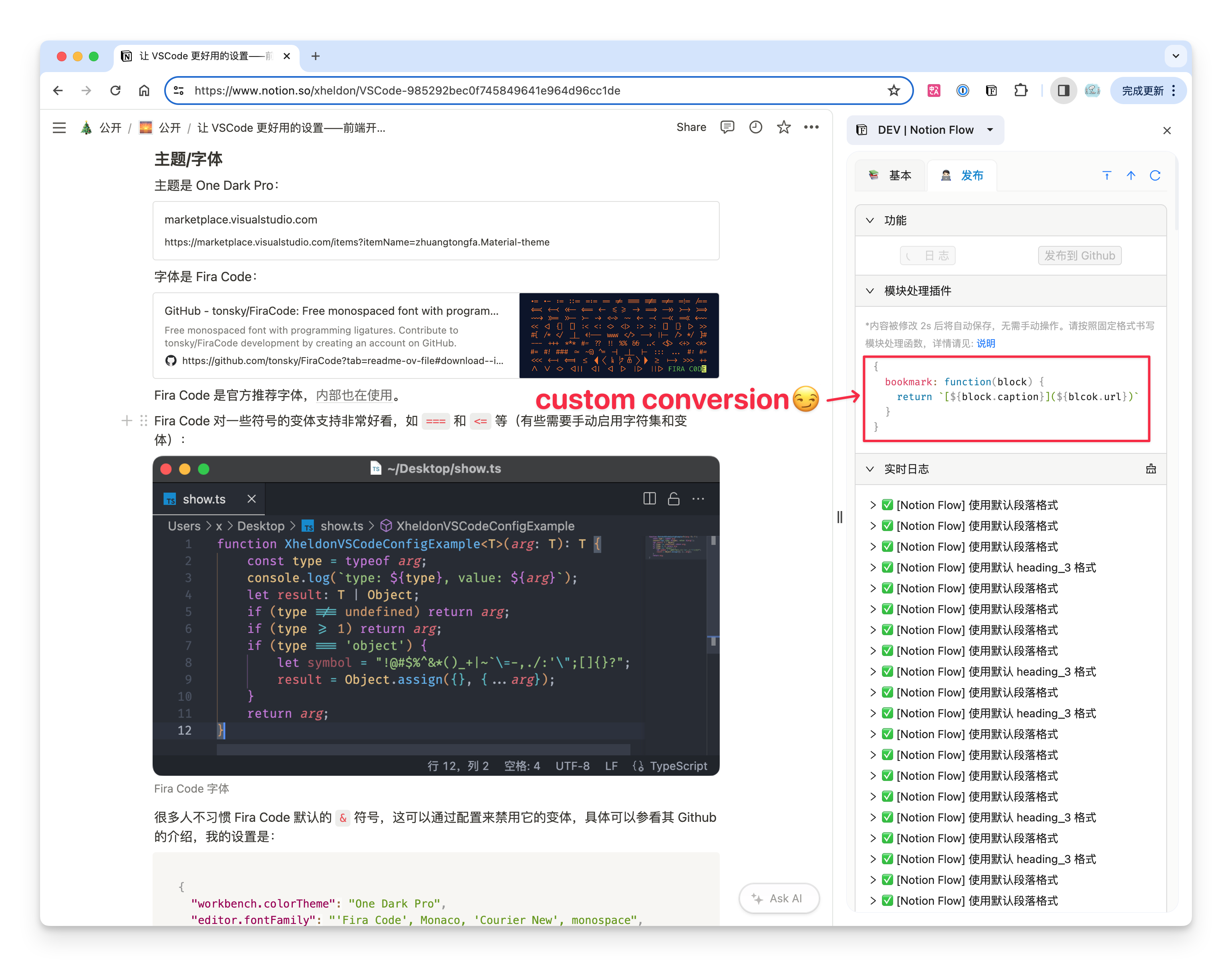
Not happy with the default Notion → Markdown rules? Write a conversion function to turn non-standard blocks like Bookmark, Callout and Video into whatever format your blog needs.
Multiple image hosts
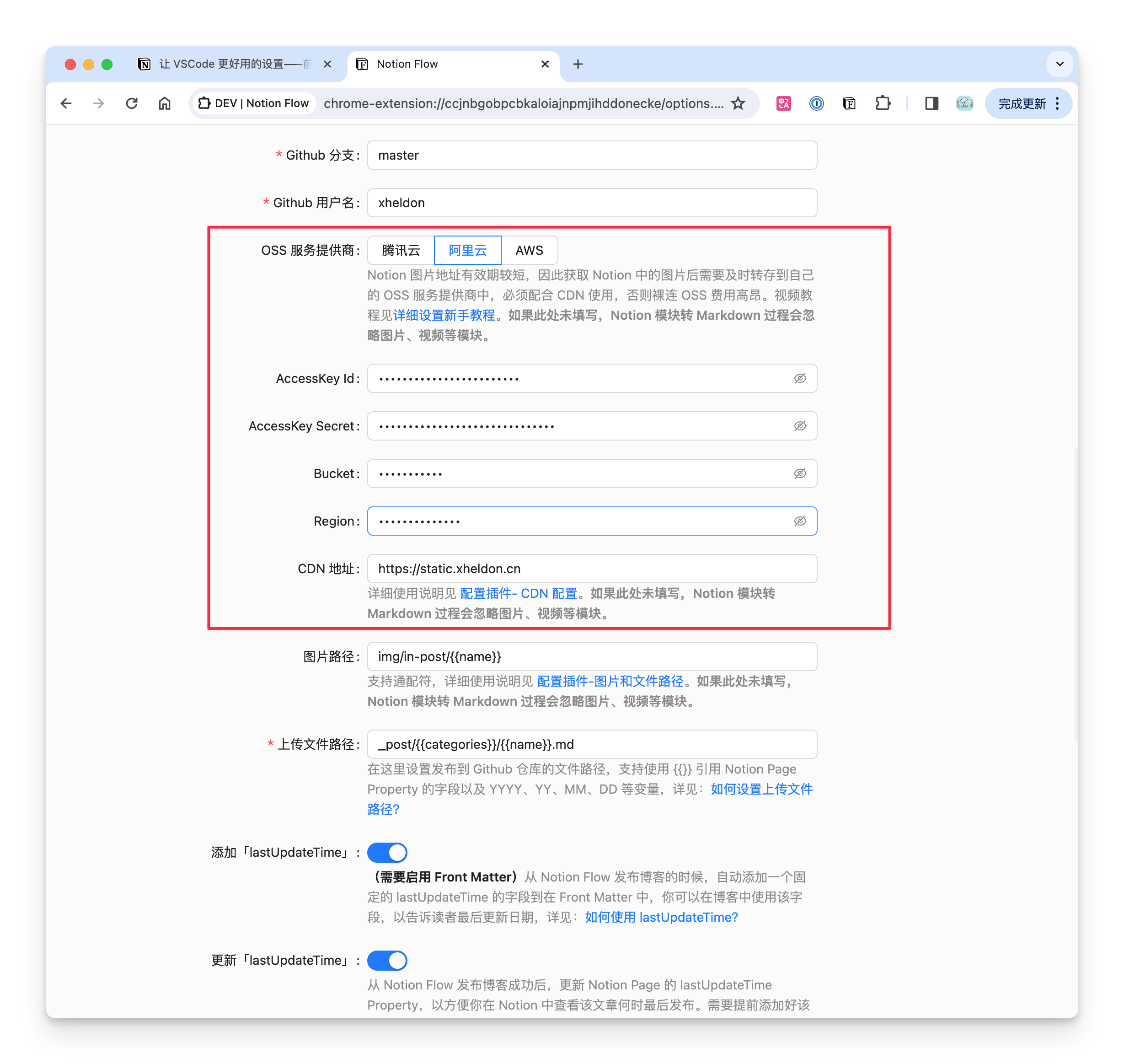
Built-in support for Tencent COS, Alibaba OSS and AWS S3 — plus any S3-compatible self-hosted service (Cloudflare R2, MinIO). Images and videos from Notion are auto-uploaded and served via your CDN.
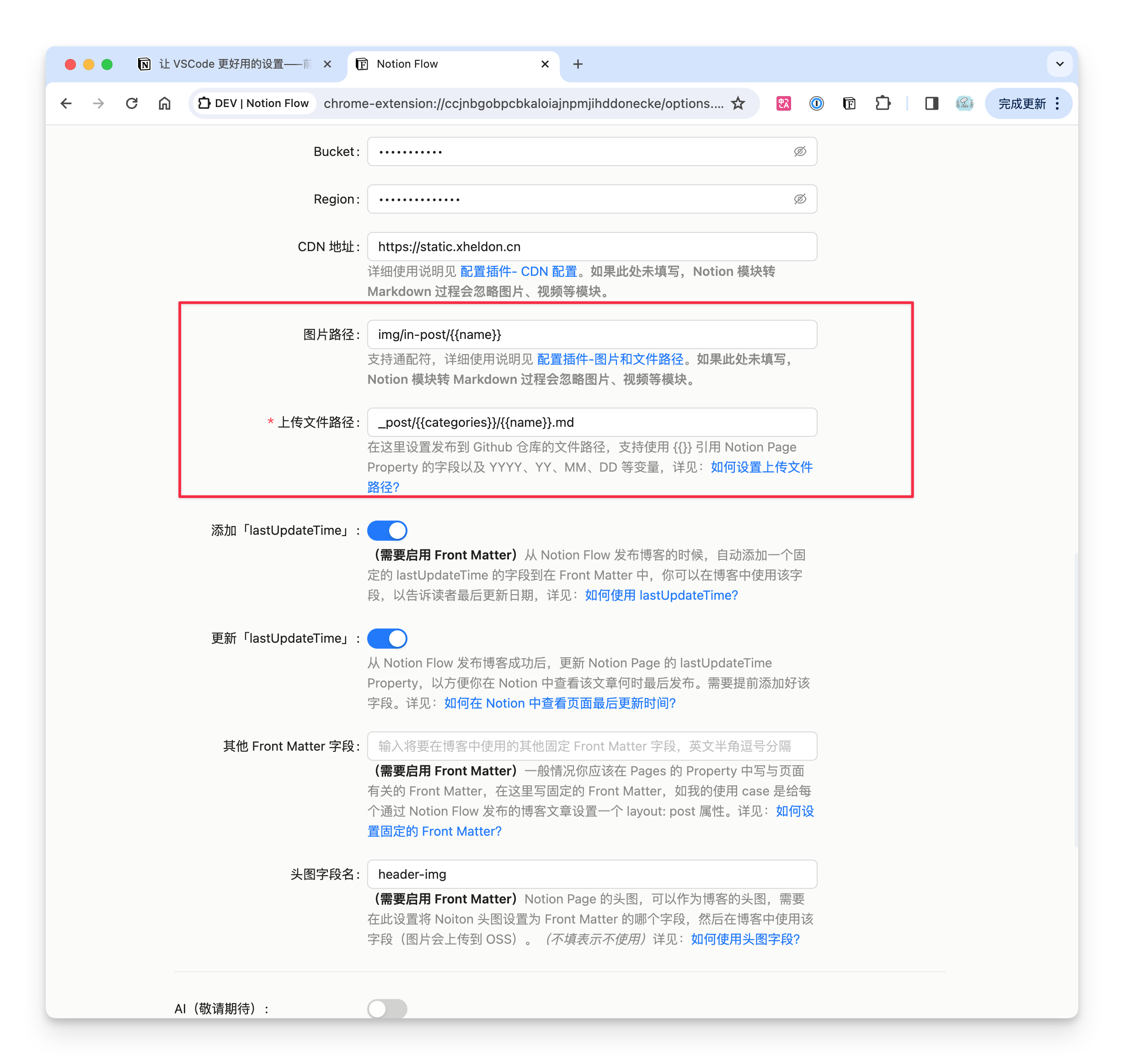
Flexible path templates
File and image upload paths can reference Notion Page Properties and variables like {{YYYY}}, {{MM}}, {{name}}. Configure once, reuse forever.
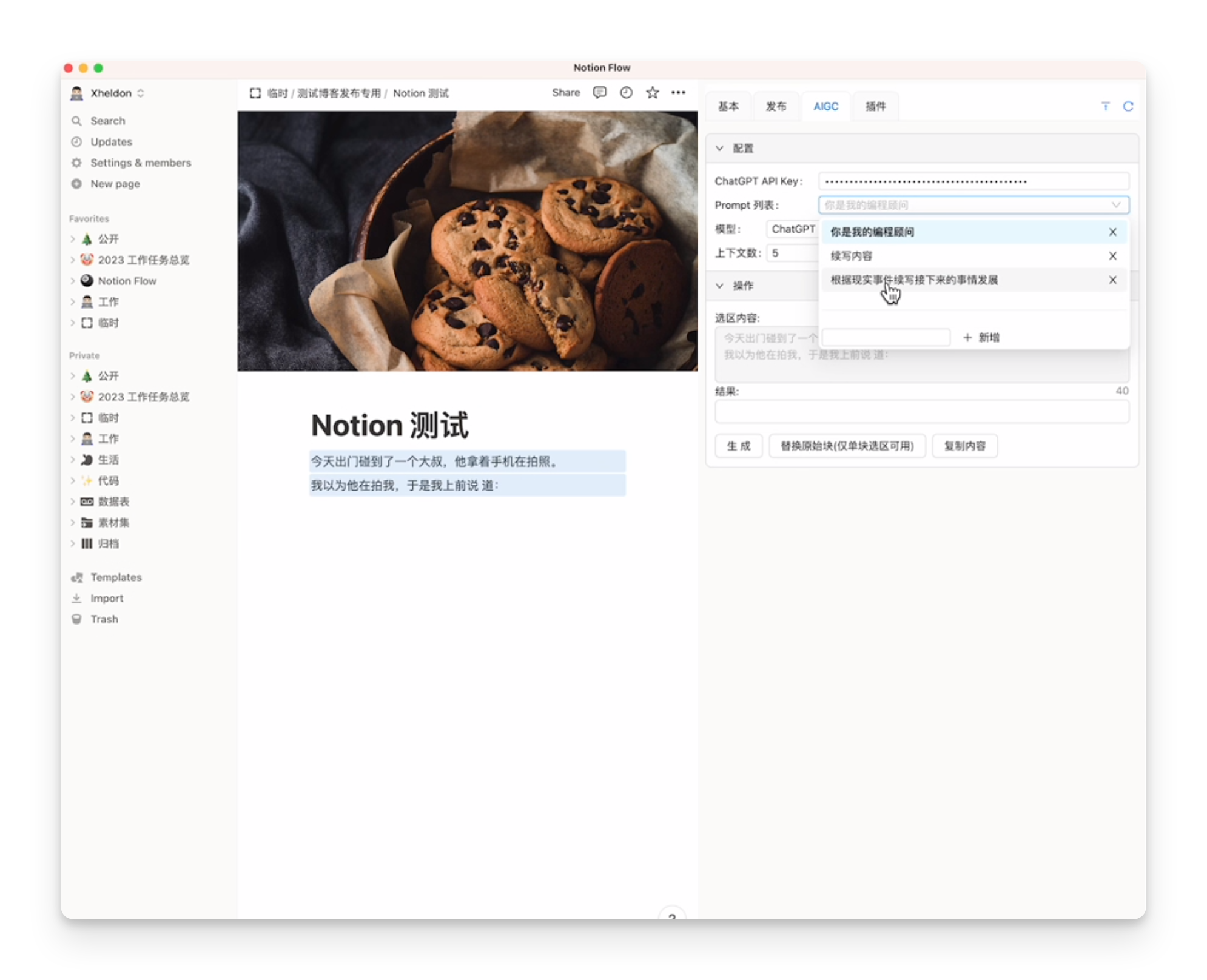
AIGC support
Use the OpenAI / Azure OpenAI API to process selections and replace Notion text blocks — a flexible, lower-cost alternative to the pricey Notion AI.
Why Notion Flow
Let the extension handle the tedious publishing details — you just write in Notion.
Tedious details, automated
Image re-hosting, Front Matter, Markdown formatting and link handling all happen automatically — no manual shuffling.
Your data stays yours
Pure frontend and non-intrusive. Tokens and secrets live only in your local browser — never routed through any third-party server.
Reliable (v0.4.5)
Step-by-step publish progress, clear error reports with copyable logs, and a one-click "Test connection" for Notion / GitHub / OSS.
Four steps to start
After a one-time setup, every future article is just one click to publish.
Install
From the Chrome Web Store or Edge Add-ons.
Configure
Enter your Notion token, GitHub repo and OSS, then hit "Test connection".
Open the panel
Click the extension icon on a Notion page to open the side panel.
Publish
Hit "Publish to GitHub" and your article syncs as Markdown.
Get started now
Works on Chrome 114+ and Edge (Chrome recommended — Edge's side-panel API has known issues).